
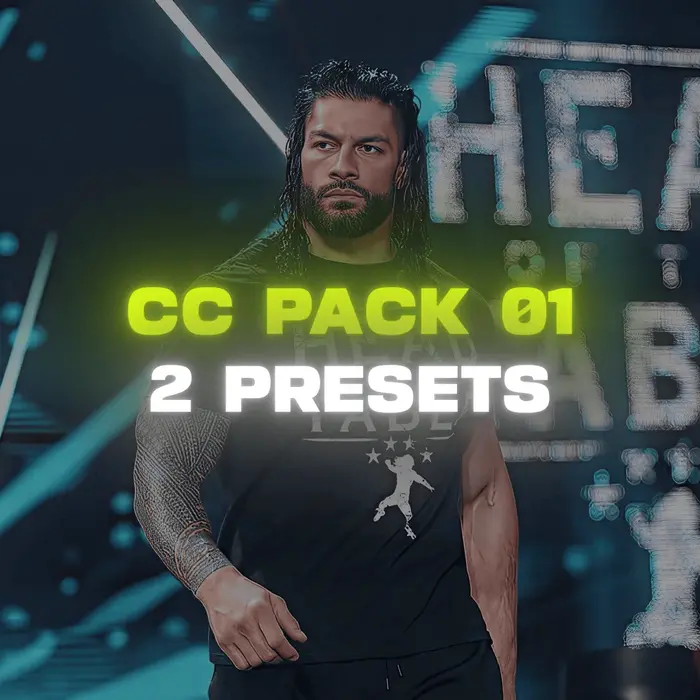
CC Pack Vol. 01
Be sure to subscribe and follow my social media accounts

Introduction
Getting that glossy, punchy, and cinematic look for your video edits is often the most time-consuming part of post-production. You can have the sharpest 4K footage and the cleanest velocity curves, but flat lighting, muddy shadows, and washed-out highlights will instantly drain the energy from your project.
The Premium CC Pack Vol 01 on 51 Editor is built specifically to solve that problem. Designed for editors who refuse to settle for average visuals, this pack delivers two elite, handcrafted After Effects color correction presets that instantly elevate your videos into cinematic masterpieces.
Whether you are crafting high-octane WWE combat edits, fast-paced gaming montages, emotional movie/series tributes, or viral Instagram Reels and YouTube Shorts, these presets give you an unfair advantage. Instead of stacking endless adjustment layers and guessing your curve balances, you get a studio-grade look with a single drag-and-drop workflow.
What’s Included in This Pack
CC Pack Vol 01 focuses on quality over quantity. Rather than filling your folders with dozens of generic, unusable filters, we designed two distinct, highly polished color correction presets tailored for today’s most demanding editing styles:
Glacier CC – Cold, Sharp & Cinematic Moody Look: An atmospheric, high-contrast preset built for cold, aggressive, and dramatic scenes. It enhances deep cyan, teal, and steel-blue undertones while keeping black levels rich and crushed. Ideal for night-time brawls, rainy cinematic shots, gaming battles, and cold-toned phonk edits.
Gold CC – Warm, Vibrant & Hollywood Film Look: A warm, luxurious preset that introduces rich golden highlights, amber midtones, and punchy contrast. It enhances lighting warmth while preserving natural skin tones and bringing out the metallic gleam of championship belts, stage pyrotechnics, and daylight action shots.
File Package:
Archive Type: Clean ZIP file package containing the extracted preset directory.
Preset Files: 2 native Adobe After Effects .ffx preset files (Glacier CC.ffx and Gold CC.ffx).
Documentation: Step-by-step installation instructions and recommended render settings.
Perfect For Every Editing Genre
This pack was developed by testing across diverse footage libraries to ensure adaptability across multiple niches:
WWE & Combat Sports Edits: Makes sweat, arena floodlights, pyrotechnics, and championship belts shine with punchy contrast and bold shadows.
Movies & Web Series Tributes: Enhances dramatic facial expressions, background depth, and cinematic letterbox framing.
Gaming Montages (GTA VI, Resident Evil, Call of Duty): Elevates game engine lighting, neon signs, reflective vehicle paint, and explosive muzzle flashes.
Short-Form Content (TikTok, Instagram Reels & YouTube Shorts): Optimized for high-bitrate mobile screens where viewer retention depends on immediate visual impact.
Cinematic B-Roll & Commercial Projects: Delivers an expensive, polished studio aesthetic without requiring hours in color-grading suites.
Key Features
The Premium CC Pack Vol 01 offers technical precision and ease of use:
Instant Drag-and-Drop Workflow: Apply directly to an adjustment layer above your timeline for instantaneous visual transformation.
Skin Tone Isolation & Protection: Retains natural warmth and facial textures while stylizing background shadows and highlights.
Non-Destructive Post-Processing: Preserves your source footage’s natural details, fine textures, and dynamic range without introducing blocky pixel compression.
Advanced Multi-Plugin Synergy: Combines the optical strengths of Sapphire, BCC, and Magic Bullet Suite for deep, organic texture blending that native effects cannot recreate.
Ultra-Lightweight File Size: Compact download size ensures fast downloads and zero storage clutter.
Software & Plugin Requirements
To ensure these presets load without missing-effect errors, please make sure your editing workstation meets the following technical requirements:
Software: Adobe After Effects (Compatible with CC 2020 and all newer versions).
Sapphire Plugin: Required for advanced glow, edge lighting, and optical flare treatments.
Boris FX Continuum (BCC) Plugin: Required for fine tonal adjustments, color curves, and micro-contrast.
Magic Bullet Suite (Looks): Required for cinematic film emulation, shadow balancing, and highlight roll-off.
Platform: Windows & macOS.
Note: These presets are built specifically with .ffx architecture for Adobe After Effects and will not function in standalone editors like CapCut or mobile apps unless converted via custom LUT export pipelines.
How to Install and Use CC Pack Vol 01
Follow this simple guide to install and apply Glacier CC and Gold CC inside Adobe After Effects:
- Download and Extract:
- Download the ZIP archive from 51 Editor. Right-click and extract the folder to your preferred editing assets directory.
- Move to User Presets Folder:
- Windows: Copy the 2 .ffx files to:
- Documents > Adobe > After Effects [Your Version] > User Presets
- macOS: Copy the 2 .ffx files to:
- Documents/Adobe/After Effects [Your Version]/User Presets/
- Windows: Copy the 2 .ffx files to:
- Open After Effects: Launch After Effects. Navigate to the Effects & Presets panel (Window > Effects & Presets). Click the panel menu and select Refresh List.
- Create an Adjustment Layer: With your edited video timeline open, create a new Adjustment Layer (Ctrl + Alt + Y on Windows / Cmd + Option + Y on Mac) directly above all your video clips.
- Apply the Preset: Search for “Glacier CC” or “Gold CC” in your Effects & Presets panel, and drag it directly onto your Adjustment Layer.
- Adjust to Your Footage: Because source footage lighting varies, slightly adjust the exposure slider or Magic Bullet Looks exposure tools on the preset to perfectly match your scene’s original brightness.
Tips for Best Results
- Always Grade on Adjustment Layers: Never drop color correction presets directly onto individual video clips. Using an adjustment layer gives you full control over layer opacity, allowing you to dial the intensity from 100% down to 70–80% for softer looks.
- Use Clean, Watermark-Free Footage: Premium color correction shines brightest when applied to high-bitrate source material. Check out our free 1080p collections like the Roman Reigns Scene Pack or Seth Rollins Scene Pack.
- Manage Render Speeds: Because Sapphire, BCC, and Magic Bullet Looks calculate complex color channels, turn off the Adjustment Layer visibility while cutting your velocity curves, then turn it back on right before final rendering.
- Avoid Double-Sharpening: If your clips have already been processed with AI upscalers, decrease secondary sharpness inside your effect controls to avoid white edge halos. Read our full breakdown on how to improve video quality in After Effects.
- Explore Essential Tools: For more recommendations on streamlining your editing pipeline, visit our guide on the best After Effects plugins for video editors.